Feature Labels
Feature Labels help you to identify and understand new functionality, and make it easy to provide valuable feedback that will contribute to improving a feature on SimplePay. These labels serve as visual indicators to help you understand and interact with three types of features:
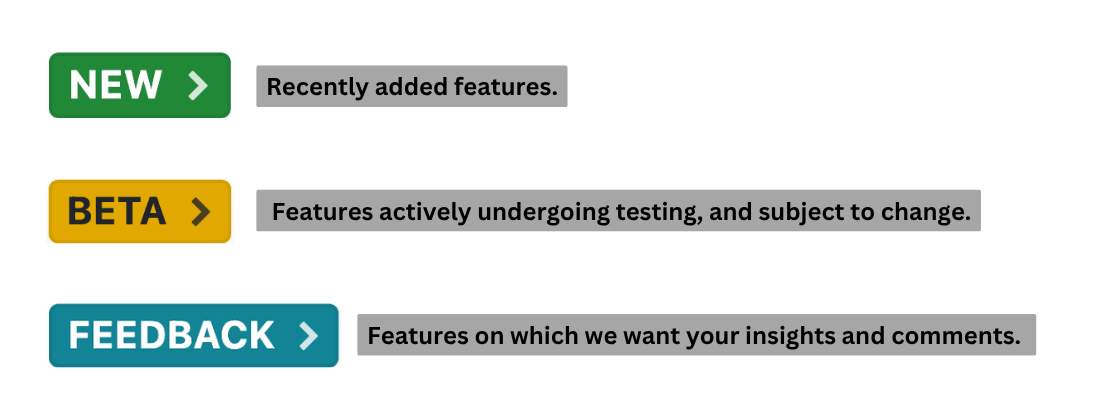
Clicking on a label attached to a feature will bring up a description of the feature, direct you to additional information on the relevant help page and/or blog post, and allow you to send us feedback using the field provided. You can also add an attachment to illustrate your feedback by clicking Add attachment.
Reporting bugs
Please report any errors, glitches, or blocking issues you encounter while using the feature directly to our Support team. It is most helpful to include details such as error messages, steps to reproduce the issue, and any relevant screenshots or error logs.
Examples of Feedback
Below are some types of feedback, with examples of each:
1. User experience (UX)
- Suggesting improvements to the overall usability and intuitiveness of the feature.
- Identifying areas where the user interface can be streamlined or enhanced for better navigation.
- Giving feedback on the clarity and effectiveness of on-screen instructions, and tooltips.
2. Feature enhancement
- Proposing enhancements to existing features based on user needs or industry trends.
- Requesting additional settings.
3. Performance improvement
- Noting any performance issues such as slow loading times, or laggy interactions.
- Providing feedback on system responsiveness.
4. Documentation
- Requesting additional documentation or tutorials to better understand the feature's functionality and use.
- Reporting inconsistencies, inaccuracies, or gaps in existing documentation that hinder effective use of the feature.